LessonMate
LessonMate is a software we use to provide assignments for our students and a platform for file sharing. Read below for the basics, and watch the video for a tutorial.
When to Use It
Whenever a student is absent, you will create an assignment for them on LessonMate. Assignments should contain four main elements.
- A Customized Video - this will address the student directly by name (2-4min)
- A Recap of Last Lesson - can be done in text or video
- New Material - best done using a combination of video and PDFs/Text/Recordings (3-6min)
- A Clear, Actionable Assignment - students (and parents) should know exactly what to work on that week
FAQs
What if the student/parent asks for a makeup lesson instead?
We do not offer makeups for student absences. If they have more questions, please direct them to a Front Team member.
I can see my student didn't watch their LessonMate assignment. Now what?
Check in with them! Sometimes students forget to check, or simply don't make time for it. When you see the student, check in and ask if they've watched their LessonMate. If they need help accessing it, please refer them to a Front Team member.
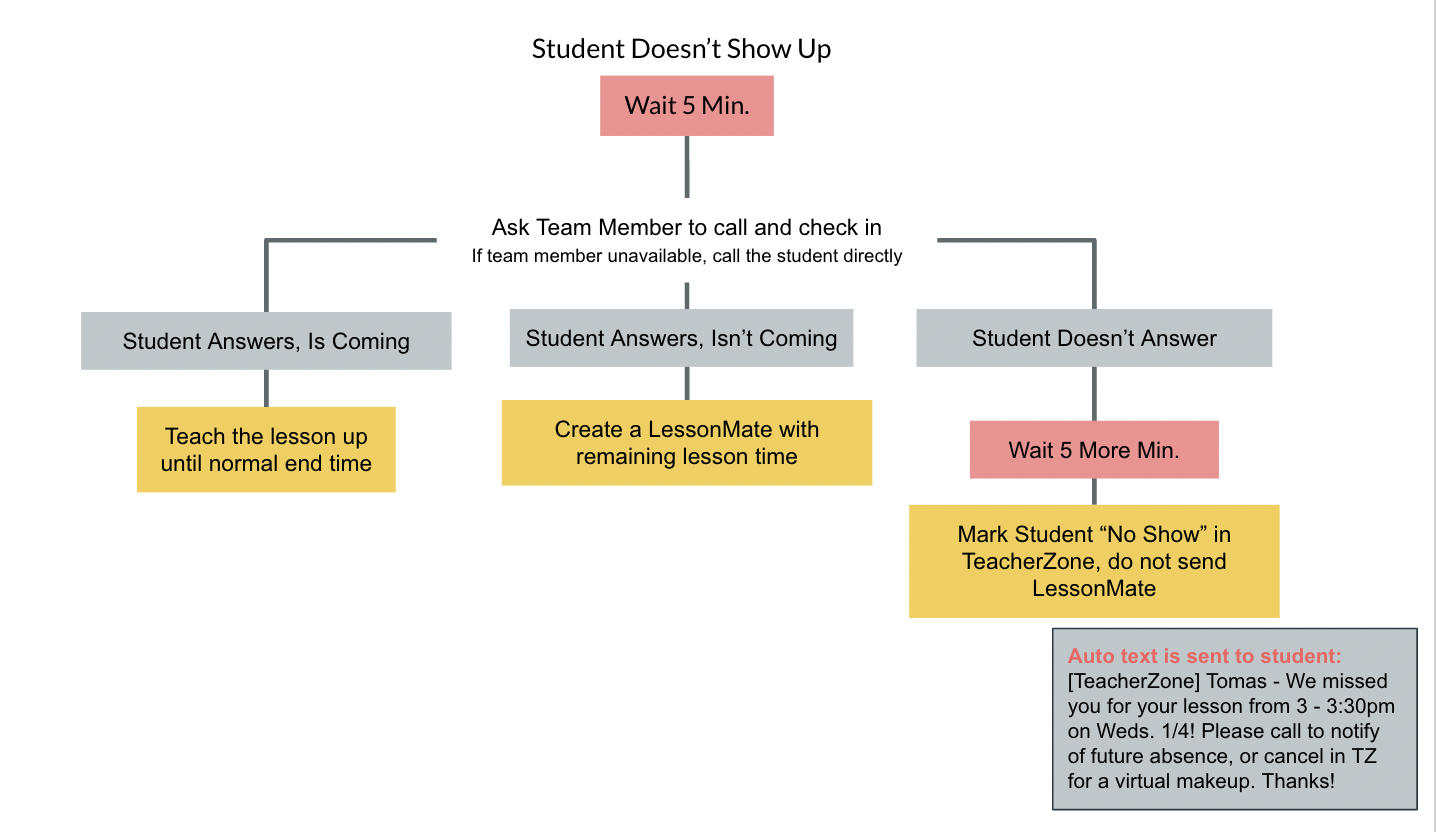
What if the student is no-show (no notice given)?
First, you'll wait 5 minutes. If they haven't shown up, you will ask a Front Team Member to give them a call, or reach out by phone yourself. If they confirm via phone that they won't be in, you create their lesson assignment. If they don't answer, you wait 5 more minutes to hear back. If you haven't heard anything by the 10 min. mark, you mark them "No Show" in TeacherZone and do not create an assignment.